How To Map a Drive in Windows 7
-
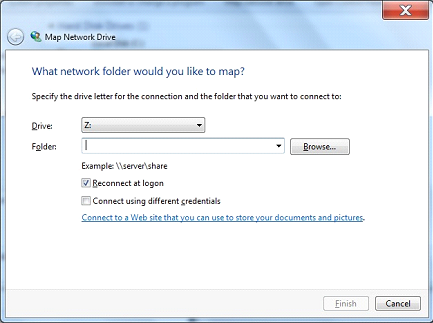
From the Menu select “Map a network Drive”
-
-
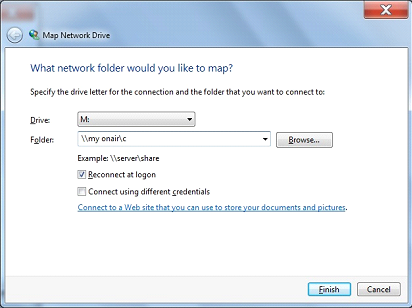
Under Folder enter \\the name of my onair computer\c
-
Getting the name of your onair computer is crucial as if you don’t have the name correct the drive mapping won’t work
-
Make sure that Reconnect at Logon is selected as this will reconnect the M drive every time you reboot the computer
-
Your final box should look similar to this
-
Press Finish and the M drive should pop up showing you the files and folder on your OnAir machine