How To Share Your Drive In Windows 7
-
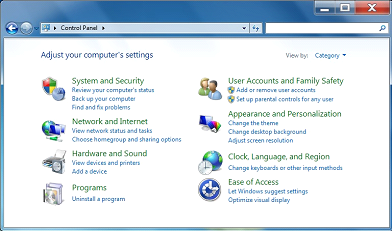
Go to Control Panel and select Network and Internet
-
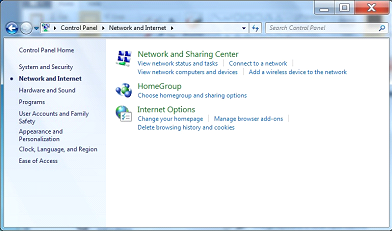
Then select Network and Sharing Center
-
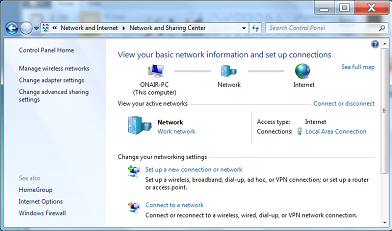
Then Select Change Advanced Sharing settings
-
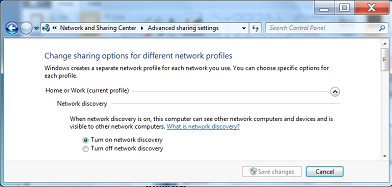
Then turn on Network Discovery and scroll down to see more options
-
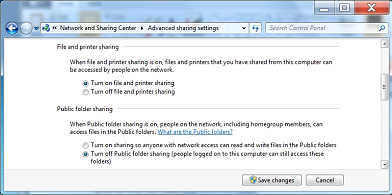
Then Turn on file and printer sharing, continue to scroll for the next option
-
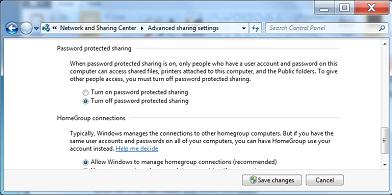
Turn off password protected Sharing
-
Press Save Changes and close the window, you are done the First portion of sharing the Drive
-
Next we proceed to making the actual share
-
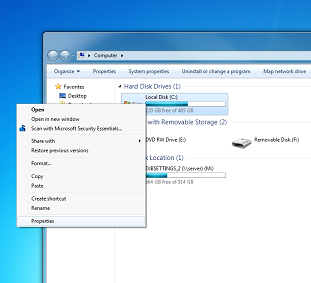
Then Right mouse click on the your C drive and select properties
-
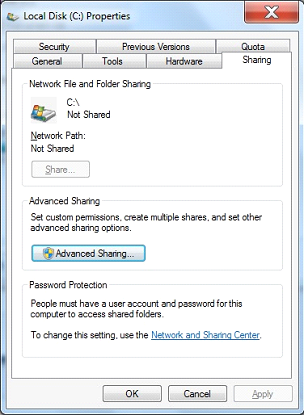
In the Properties Window, go to the Sharing Tab
-
Click on Advanced Sharing
-
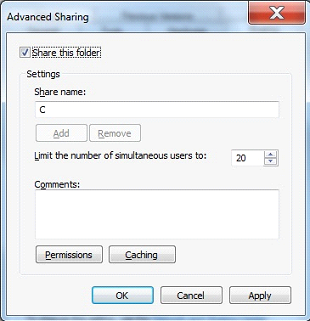
Place a check mark in the Share the Folder check space
-
-
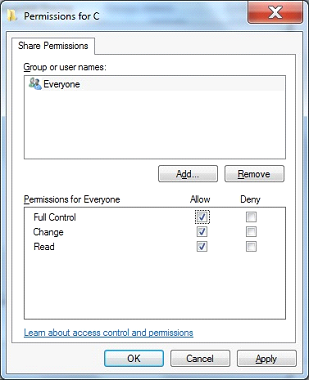
Place a check mark on Full Control for Everyone
-
Press OK, and OK again in the next window and finally Close in the final window
-
Sharing of the C Drive of you Onair is now Complete
How to Set the Security Rights on your now Shared Drive
-
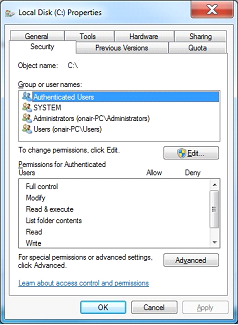
Right mouse click on your C Drive and Select properties
-
-
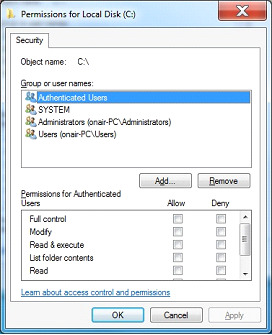
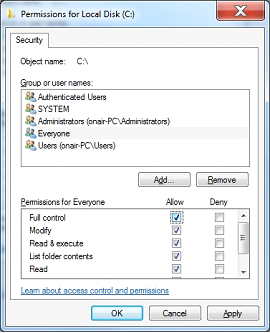
Press The Edit button, Windows will most likely prompt you for permission
-
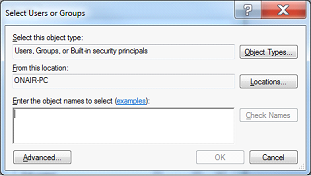
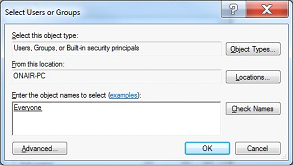
Enter the text Everyone in the box and press Check names, then press OK
-
Back at the previous Screen with Everyone selected check off Full Control
-
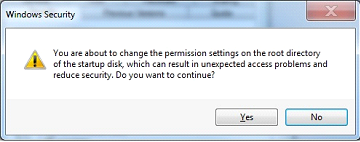
Press Apply and Windows will prompt you with a warning, Press Yes
-
-
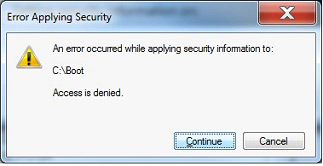
Windows will then start to set the rights on all the files on your system
It will encounter an error on several protected windows files, just press continue, this warning will come up a lot
-
Once Windows has completed setting the rights on all the files you will be brought back to this screen Press OK
-
You will then retun to this page, press ok again to close out all the pages
With the Sharing and rights setup on the C drive you should now be able to map the drive on your production machines